
What is SnowSEO?
SnowSEO is your all-in-one SEO platform. Instead of juggling five different tools for keyword research, rank tracking, content writing, and reporting, SnowSEO connects them all in one place - synced directly to your real Google data.SnowSEO connects directly to Google Search Console (GSC), which means the data you see isn’t estimated - it’s the exact ranking and click data Google uses for your site.
How SnowSEO Works
Everything in the platform follows a simple three-step loop:1. Analyze
Connect your site and see exactly where you stand today - rankings, traffic, technical health, and more.
2. Strategize
Use AI-powered research to find the keywords and content opportunities your competitors are missing.
3. Execute
Write, optimize, and publish content - then track your progress every day as rankings move.
What’s Inside SnowSEO
- 📈 Analysis
- 🗺️ Planning
- ✍️ Execution
- 🔧 Tools
- 🔍 Research & Strategy
- ✍️ Content & Outreach
See exactly how your site is performing - without the complexity of raw analytics dashboards.
- AI Visibility - Track how often your brand appears in AI answers like ChatGPT and Google Gemini
- SEO Audit - Automatically find technical issues blocking Google from crawling your site
- Traffic - Clicks, impressions, and CTR from Google in one clean graph
- Rank Tracking - Watch your target keywords climb (or drop) in Google rankings daily
Quick Setup: Get Your First Insights in Minutes
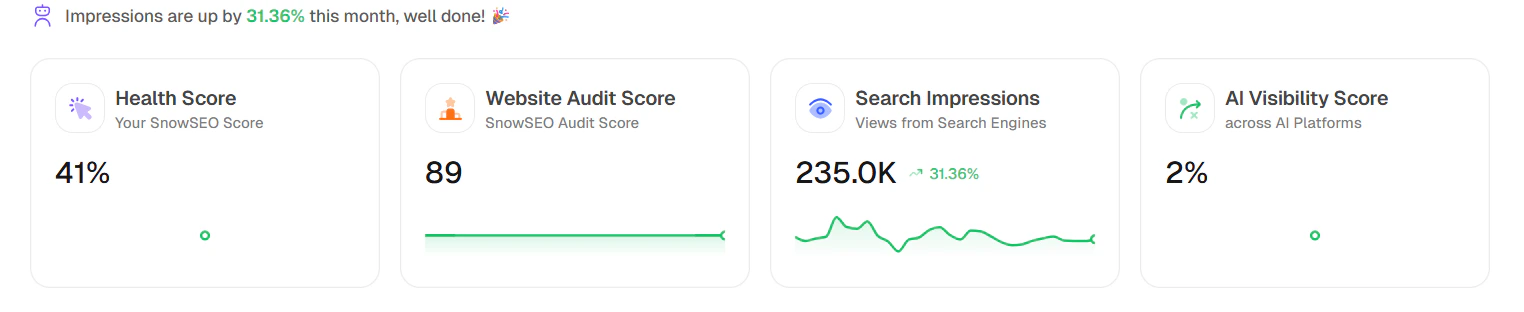
When you open the Home page, read it top-to-bottom in this order:1. Keyword Performance Indicator(KPI) Cards
- Health Score: Your overall SnowSEO health indicator for the brand.
- SEO Audit Score: Technical/site-quality score from your latest audit run.
- Search Impressions: Total search-engine visibility with month-over-month movement.
- AI Visibility Score: Your brand visibility level across tracked AI platforms.
2. Performance Summary
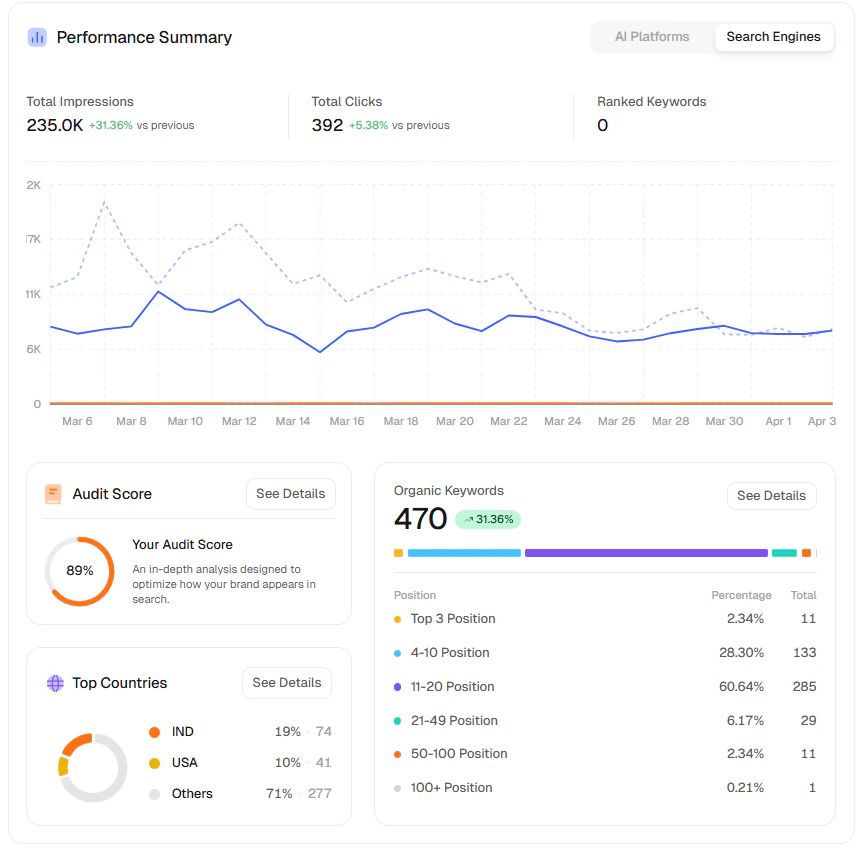
This section has two tabs that answer different questions:- AI Platforms
- Search Engines
Use this tab to understand AI-discovery performance: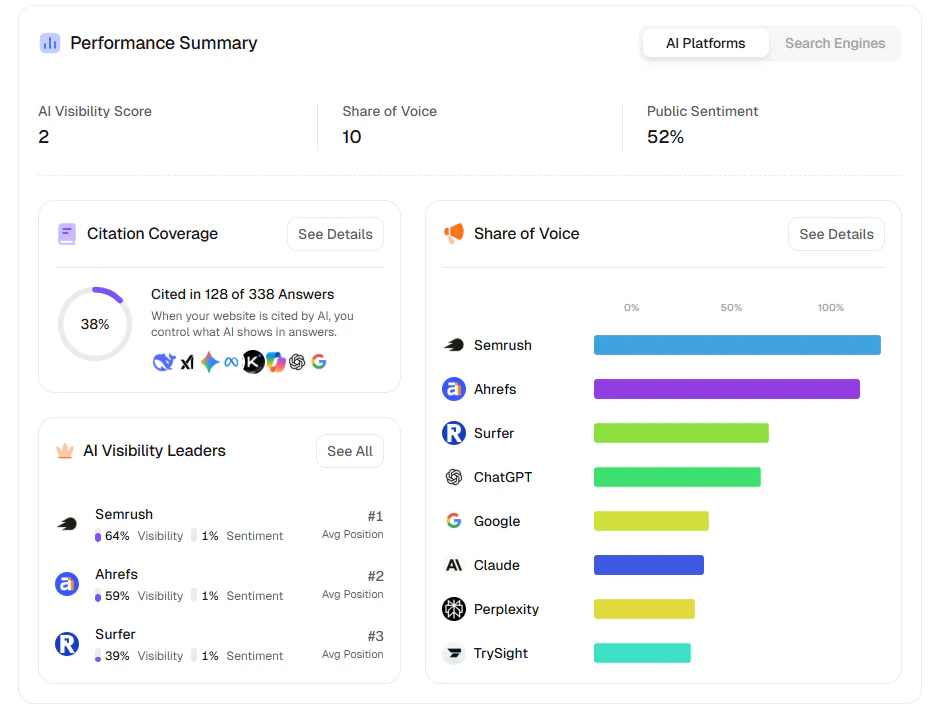
- AI Visibility Score: Overall strength of your brand in AI answers.
- Share of Voice: How much answer share you capture vs other brands/platforms.
- Public Sentiment: Positive/neutral/negative tone around mentions.
- Citation Coverage: How often your site is cited in AI answers.
- Share of Voice chart: Relative contribution by platforms/players.
- AI Visibility Leaders: Leaderboard view of top competitors and positions.
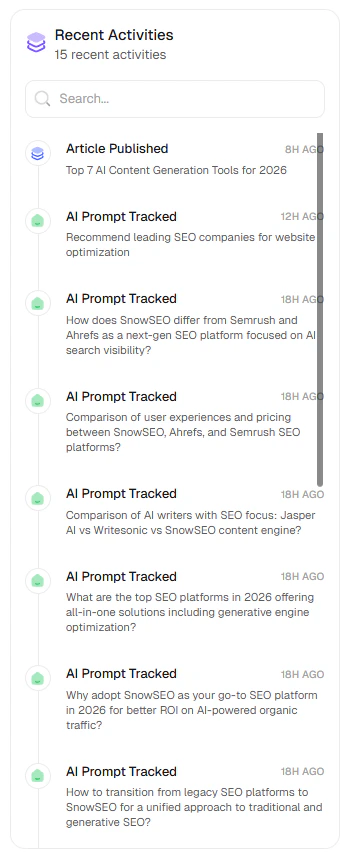
3. Recent Activities
This timeline shows what just happened in your workspace, such as:- Article published
- AI prompts tracked
- Recent tracking events by time
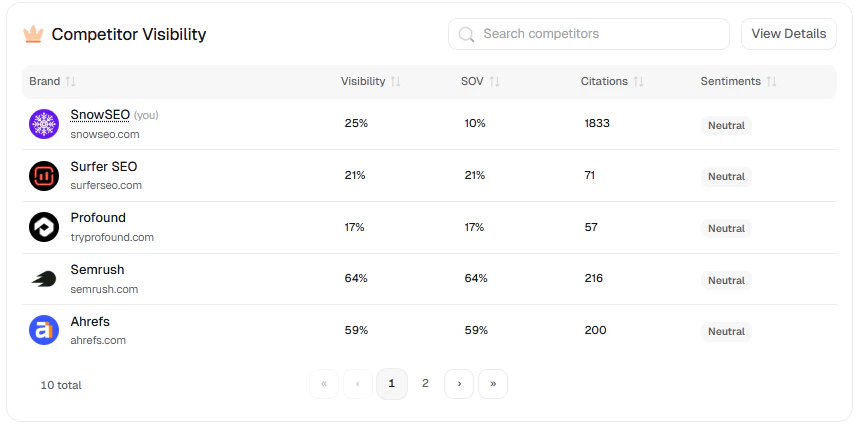
4. Competitor Visibility
This comparison table helps you benchmark your brand against competitors using:- Visibility: How often each brand appears in tracked results overall.
- SOV (Share of Voice): The percentage share of total visibility a brand owns vs competitors.
- Citations: How many times a brand is referenced/cited across tracked responses.
- Sentiments: Whether mentions are mostly positive, neutral, or negative.
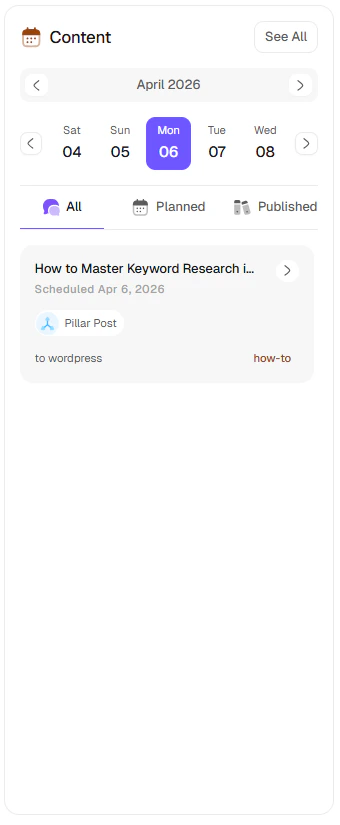
5. Content Panel
This is your schedule view for planned and published content:- Calendar/date selector
- Status filters (
All,Planned,Published) - Content cards with publish destination and article type
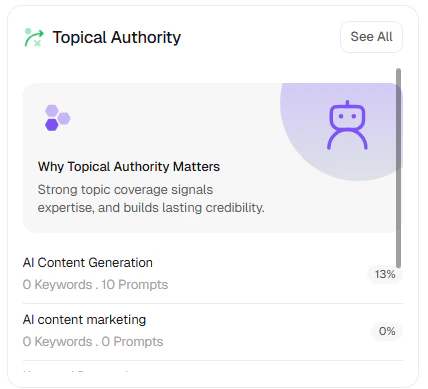
6. Topic Clusters
This widget shows topic-level coverage and progress:- Topic list with keyword/prompt counts
- Progress/coverage percentages
- Quick educational context for why topical authority matters
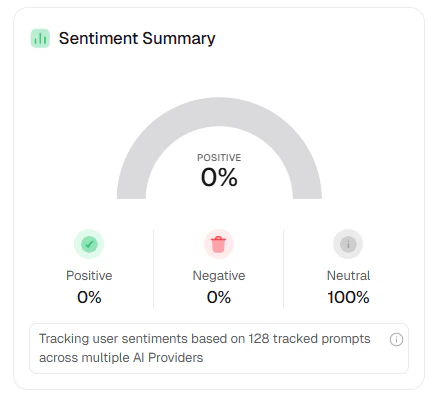
7. Sentiment Summary
This section aggregates tracked prompt sentiment across providers:- Positive
- Negative
- Neutral
8. How to Use Home Weekly
- Check top KPI cards and both Performance Summary tabs.
- Review Recent Activities to confirm tracking/publishing events.
- Compare Competitor Visibility and pick one gap to close.
- Use Content + Topic Clusters to plan next execution.
- Watch Sentiment Summary for reputation shifts.
Get Help
Brands Guide
Learn how to configure your Brand settings and connect your integrations correctly.
Understanding Your Traffic
Learn what Clicks, Impressions, CTR, and Average Position actually mean for your business.
Rank Tracking
Start monitoring your rankings and find the fastest paths to page 1.
SEO Tools
Access free tools for GEO analysis, domain rating, backlink checking, and more.
Manage Your Team
Invite team members and manage permissions across your brands.
Live Support
Stuck on something? Email our team directly — we respond fast.
Frequently Asked Questions
Do I need SEO experience to use SnowSEO?
Do I need SEO experience to use SnowSEO?
No. SnowSEO is designed to be usable whether you’re a complete beginner or a seasoned SEO professional. Plain-language explanations are built into every feature, and the platform guides you through the most important setup steps. You don’t need to know what a canonical tag is to get value.
How long before I start seeing results?
How long before I start seeing results?
You’ll see data (rankings, traffic, audit results) immediately after connecting your site and Google Search Console. SEO results - meaning your rankings actually improving - typically take 2–4 months of consistent content and technical improvements. The platform is designed to help you find the fastest wins first.
What does SnowSEO actually connect to?
What does SnowSEO actually connect to?
The core integrations are Google Search Console (for ranking and traffic data) and Google Analytics 4 (for session and conversion data). You can also connect your CMS (WordPress, Webflow, Ghost) to publish content directly. See the Brands guide for full integration setup.
Can I use SnowSEO for multiple websites?
Can I use SnowSEO for multiple websites?
Yes. Each website is managed as a separate Brand within your account. You can switch between brands from the sidebar. Each has its own keywords, audits, content pipeline, and integrations - completely separate.
How does SnowSEO help with AI search visibility?
How does SnowSEO help with AI search visibility?
As more users ask questions in ChatGPT, Perplexity, and Google’s AI Overviews instead of clicking traditional search results, SnowSEO tracks how often your brand is cited in those AI-generated answers. You get a citation rate, sentiment score, and competitor comparison - plus guidance on how to improve your presence. See the AI Visibility guide for details.
Is my data private and secure?
Is my data private and secure?
Yes. SnowSEO only accesses the Google account data you explicitly authorize during setup (Search Console and Analytics). We don’t share your data with third parties and you can revoke access at any time from your Brand Settings.