
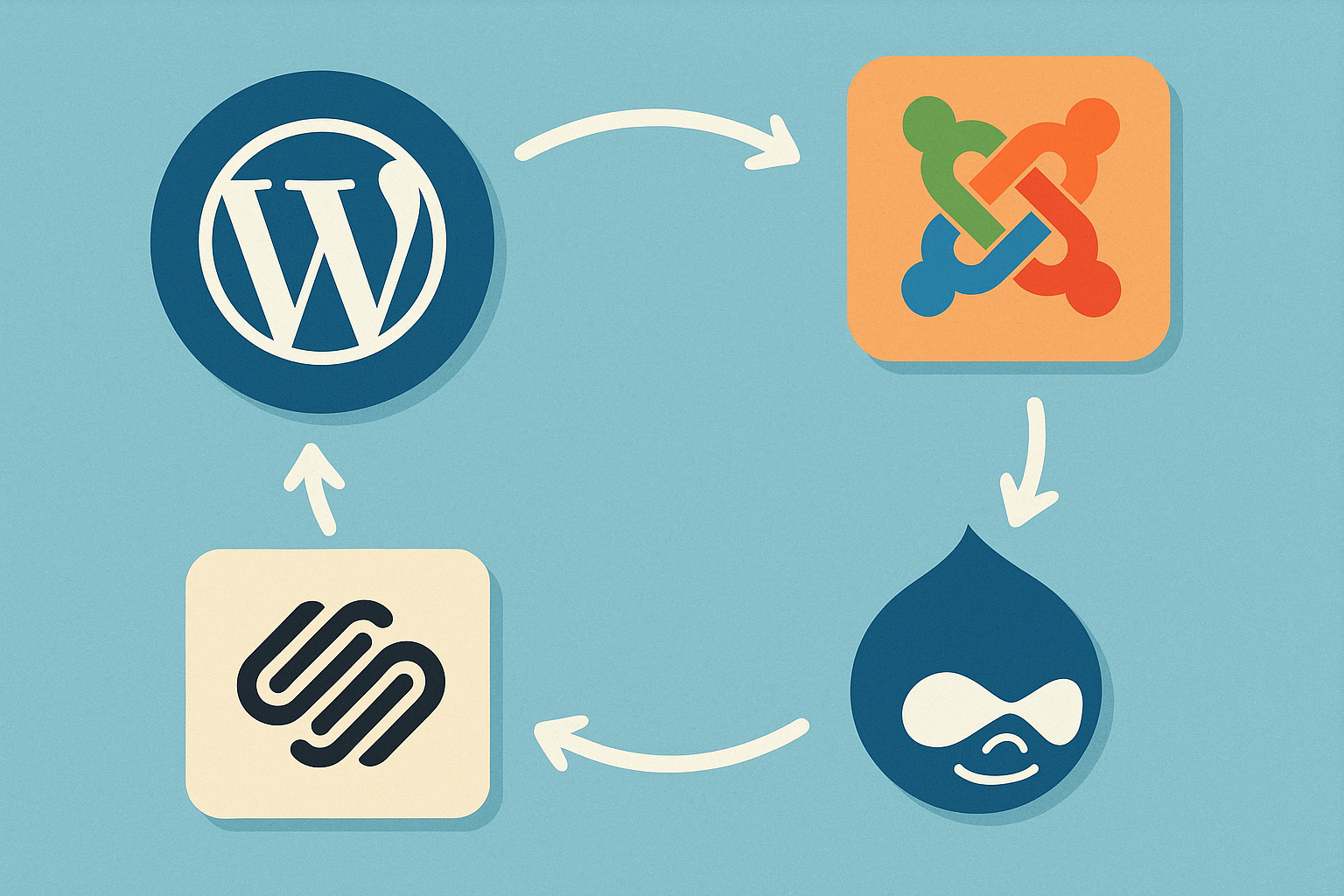
Simplifying CMS Integration: Pros and Cons

Table of Contents
Are you struggling to choose the right CMS for your business? The decision feels weightier than ever: your website is the digital storefront, the marketing hub, and the data nerve-center all at once. Yet with WordPress, Drupal, Shopify, Magento, and countless newcomers vying for attention, finding the perfect fit can be daunting. Misalign your choice and you risk ballooning development costs, clunky workflows, and missed growth opportunities.
This guide cuts through the noise. We break down the core advantages and hidden drawbacks of today’s most-used CMS platforms, then map out how each one integrates with the tools you already rely on-payment gateways, CRMs, ERP systems, and beyond. By the end, you’ll know which solution matches your budget, technical resources, and long-term goals.
Our analysis draws on up-to-date market research, real-world integration case studies, and hands-on experience from certified implementation specialists. In short, you’re getting expert insight distilled into practical, action-ready advice-no jargon, just clarity.
Overview of Content Management Systems
1. Defining Content Management Systems
A Content Management System (CMS) is a software platform that lets non-technical users create, publish, and update digital content through an intuitive interface. Instead of hand-coding every page, teams manage text, images, products, and even customer data from a single dashboard. Whether you opt for open-source favorites like WordPress or heavyweight enterprise suites, the core promise remains: faster publishing, consistent branding, and lower development overhead.

2. Importance of CMS in Modern Business
Digitally savvy customers expect fresh articles, real-time product updates, and frictionless checkout journeys. A well-chosen CMS underpins all three, making it a silent growth engine for ambitious brands.
Key insight: A recent industry survey revealed that 70% of businesses plan CMS upgrades within the next 12 months to stay competitive.
How a top CMS for business drives results
- Speed to market – Launch campaigns in hours, not weeks.
- Multi-channel reach – Publish once and distribute to web, mobile apps, and social feeds automatically.
- Data-driven personalization – Leverage built-in analytics to serve content that converts.
- Cost control – Drag-and-drop editors shrink reliance on expensive dev cycles.
Quick comparison of popular platforms
| Platform | Primary Strength | Typical Users |
|---|---|---|
| WordPress | Vast plugin ecosystem | Bloggers, SMEs |
| Drupal | Granular permission control | Government, universities |
| Shopify | End-to-end e-commerce tools | D2C retailers |
| Magento | Advanced catalog management | Large online stores |
- Identify goals – Branding site, knowledge base, storefront, or all three?
- Map integrations – CRM, ERP, and marketing stack compatibility.
- Test scalability – Will performance hold when traffic spikes on launch day?
Selecting the right CMS is less about technical specs and more about aligning features with business ambition. Done well, the platform fades into the background while your content and customer relationships take center stage.
Common CMS Integration Challenges
Connecting a new CMS to an existing tech stack can feel like fitting a square peg into a round hole. Below are the common CMS integration challenges teams face-and the quick wins that stop them snowballing:
- Data Silos – Legacy ERPs, CRMs, and e-commerce databases rarely speak the same language. Middleware or API gateways translate fields before sync issues derail launches.
- Authentication Confusion – OAuth tokens, SSO providers, and multi-factor rules often clash across platforms. Centralised identity management lets users log in once, everywhere.
- Performance Bottlenecks – An over-eager plugin may fire ten queries per page view. Caching layers and headless setups keep load times snappy.
- Version Mismatches – Updating WordPress or Drupal modules without checking API depreciation breaks workflows. A staging pipeline catches conflicts early.
- Governance Gaps – When marketers edit templates in production, audit trails vanish. Role-based permissions and Git-backed content workflows restore accountability.
Pro tip: Map dependencies first; it reveals hidden integration landmines.
Pros and Cons of Popular CMS Platforms
Modern businesses rarely debate whether to use a content management system – the real question is which one will deliver the best mix of flexibility, speed, and long-term value. Below, we compare four of the most widely adopted platforms – WordPress, Drupal, Shopify, and Magento – focusing on the advantages that make them shine and the drawbacks you need to weigh before signing the contract.

Advantages of Leading CMS Platforms
| Platform | Stand-out Strengths | Ideal Use Cases | Social Proof Snapshot |
|---|---|---|---|
| WordPress | - Intuitive no-code editor and vast plugin library - Massive talent pool for support - Strong SEO architecture out of the box |
Marketing sites, editorial blogs, small-to-mid eCommerce with WooCommerce | Case study: Business X cut landing-page creation time by 60% after migrating to WordPress |
| Drupal | - Granular permission control and high security - Robust multilingual capabilities - API-first approach for headless builds |
Government portals, higher-ed sites, enterprise knowledge bases | Survey: 70 % of universities plan CMS upgrades within 18 months – Drupal remains a top contender |
| Shopify | - Fully hosted SaaS with PCI compliance - Built-in payments, shipping, and analytics - App ecosystem curated for retail conversion |
Direct-to-consumer (DTC) storefronts, pop-up brands, subscription boxes | Benchmark: Average merchant launches in under two weeks |
| Magento (Adobe Commerce) | - Powerful product catalog management - Native B2B features (quotes, custom pricing) - Highly scalable architecture |
High-volume retailers, multinational catalogs, hybrid B2B/B2C | Result: Electronics retailer saw 35 % revenue uplift after implementing AI-powered search on Magento |
Tip: When comparing “advantages,” anchor every feature to a strategic result – faster time-to-market, lower maintenance costs, or higher conversions – so stakeholders have numbers, not just adjectives.
Key Benefits Broken Down
- Speed of Deployment
- Shopify’s template-driven onboarding often beats the others, letting lean teams go live in days.
- WordPress comes close thanks to one-click installs offered by most hosts.
- Customization Depth
- Drupal’s architecture allows field-level customization without hacking core files.
- Magento’s modular codebase makes it the most adaptable for complex catalogs.
- Ecosystem & Community
- WordPress boasts 60k+ plugins and a global community meet-up every week somewhere on the planet.
- Shopify’s vetted App Store minimizes compatibility headaches compared with open marketplaces.
- Security Posture
- Drupal’s security advisories follow a strict disclosure window, impressive for compliance-driven industries.
- Shopify handles PCI DSS at the platform level, removing merchant liability for card data.
Drawbacks and Limitations
No platform is a silver bullet; each comes with trade-offs that can derail a project if ignored.
| Platform | Common Pain Points | Budget Impact | Workaround Options |
|---|---|---|---|
| WordPress | - Plugin sprawl can cause conflicts and slow sites - Frequent updates demand vigilant maintenance |
Medium – rising as site grows | Managed WordPress hosting with auto-patching |
| Drupal | - Steeper learning curve for editors - Smaller pool of front-end themes |
High initial training cost | Pair with a low-code front end (e.g., Gatsby) |
| Shopify | - Transaction fees on non-Shopify payments - Rigid checkout customization on standard plans |
Predictable but ongoing | Upgrade to Shopify Plus or integrate headless storefront |
| Magento | - Requires DevOps expertise for performance tuning - Heavier hosting requirements |
Highest TCO of the four | Opt for Adobe Commerce Cloud or PaaS provider |
Warning: Underestimating total cost of ownership (TCO) is the top reason CMS projects get delayed or scrapped in year two. Always include hosting, integrations, and staff training in your forecasts.
Hidden Constraints You May Overlook
- Vendor Lock-In: Shopify’s proprietary stack limits deep server-side customization. If you need specific tax logic or ERP hooks, confirm API capabilities before committing.
- Update Cycles: WordPress releases major updates twice a year. Forgetting to budget for regression testing can lead to broken pages and lost revenue.
- Developer Availability: While Magento offers limitless customization, certified developers command some of the highest hourly rates in the CMS world.
Choosing the Right CMS for Your Business
With pros and cons on the table, align your selection process to measurable business goals rather than shiny features.
- Map Requirements to Platform Strengths
- If time to first sale is priority one, Shopify’s hosted model wins.
- If granular user roles matter, Drupal’s permission matrix is unmatched.
- Run a Pilot
- Spin up a small MVP site for each finalist platform.
- Track metrics: build hours, page speed, editor satisfaction.
- Calculate Five-Year ROI
- Include licensing, development, hosting, and potential re-platforming costs.
- Factor in opportunity gains such as faster campaign launches or new revenue channels.
- Assess Ecosystem Stability
- Review release roadmaps and community health.
- A thriving plugin marketplace today means faster feature adoption tomorrow.
Quick Decision Matrix
| Priority Weight | WordPress | Drupal | Shopify | Magento |
|---|---|---|---|---|
| Speed to Market | 9 | 6 | 10 | 5 |
| Scalability | 7 | 8 | 7 | 10 |
| Customization | 8 | 9 | 6 | 10 |
| Security | 6 | 9 | 8 | 7 |
| Budget Control | 9 | 6 | 8 | 5 |
| Total (Max 50) | 39 | 38 | 39 | 37 |
Insight: Notice how close the totals are – proof there is no universal “best” CMS. The right choice depends on how your organization weights each priority.
Final Checklist Before You Sign
- Governance: Who owns updates, content QA, and plugin approvals?
- Scalability Path: Does the platform handle your three-year traffic projections?
- Support SLA: Is round-the-clock support mandatory for your business model?
- Integration Fit: Can the CMS play nicely with your CRM, PIM, or marketing automation stack?
A deliberate, data-driven approach ensures the pros and cons of CMS platforms translate into a clear, confident decision that propels – rather than hinders – your digital growth.
Future Trends in CMS Integration
CMS technology never sits still. As customer touchpoints multiply and regulations tighten, integration strategies are evolving at warp speed. Below are the shifts poised to shape the future of CMS platforms and how they plug into the wider digital stack.
Key insight: Integration is moving from one-way content pushes to event-driven, bi-directional data flows.
- Headless-first ecosystems make APIs king, allowing WordPress or Drupal to serve wearables and in-car dashboards.
- AI-driven connectors auto-map content, commerce, and translation fields, eliminating brittle custom scripts.
- Low-code integration hubs let marketers sync Shopify, Magento, and CRM data with drag-and-drop logic.
| Emerging Trend | Integration Impact |
|---|---|
| Composable DXPs | Swap services without replatforming |
| Edge Rendering | Millisecond content delivery at global scale |
What to prepare today:
- Audit existing plugins for API readiness.
- Train content teams on structured authoring.
- Budget for real-time analytics pipelines.
Brands that act now will sidestep costly retrofits and delight customers across every future channel globally.

Feeling inspired to streamline your tech stack after weighing the pros and cons of each CMS? Start evaluating CMS options today, then let SnowSEO take the heavy lifting out of everything that follows. With its end-to-end SEO and Generative Engine Optimization hub, SnowSEO plugs directly into WordPress, Drupal, Shopify, and Magento, so your freshly chosen platform is publishing fully optimized content from day one. Instead of juggling separate keyword tools, writers, trackers, and integration scripts, you’ll have one dashboard that researches intent, drafts human-sounding articles, schedules them, and monitors performance across Google, Bing, ChatGPT, Grok, and more. That means faster launches, lower licensing costs, and data-backed decisions when you need them most. Ready for the next step? 1) Claim your free strategy session to map out a 90-day traffic plan. 2) Activate the automated content pipeline with a single click. 3) Watch rankings climb while you focus on growing the business, not wrangling plugins. Your CMS is simplified; your SEO should be too.
Frequently Asked Questions
Q1: How do I decide which CMS is right for my business?
List your goals first - ecommerce, lead generation, publishing. Map must-have features such as multilingual support or headless delivery to platform strengths. Compare total cost of ownership, including hosting, plugins, and developer rates. Finally, run a quick demo: if non-tech staff can publish a page within minutes, you’ve found the right fit.
Q2: What hidden costs should I budget for during integration?
Beyond the license fee, expect expenses for data migration, custom theme development, security hardening, and ongoing performance monitoring. Third-party apps or payment gateways often carry subscription charges. Factor in training sessions so editors adopt new workflows quickly. Most teams underestimate content clean-up time - schedule at least 15% of the project budget for it.
Q3: Can I switch CMS platforms later without losing SEO?
Yes, but plan meticulously. Maintain URL structures with 301 redirects, migrate meta tags and alt text, and replicate schema markup. Crawl both sites before launch to catch gaps. Launch during low-traffic hours and monitor search console for crawl errors daily for the first month.
Conclusion
Content management systems sit at the heart of modern digital operations. Their promise is clear: faster publishing, unified branding, and easier omnichannel delivery. Yet integration is never a one-size-fits-all affair. Legacy databases, custom workflows, and security mandates can stretch timelines and budgets, while fees or plugin sprawl may erode the savings you expected. The smartest organizations treat CMS integration as a strategic program rather than a technical task, grounding decisions in measurable business outcomes and a realistic view of internal capabilities. According to the industry overview provided by the Wikipedia entry on content management systems, platform diversity is expanding, making careful selection even more critical.
Key Takeaways
- Understand essential CMS features such as API flexibility, headless options, and governance tools.
- Weigh pros and cons against your specific business needs instead of chasing trends.
- Prepare for the future: composable architecture, AI-driven personalization, and tighter privacy rules are reshaping the market.
Next Steps
Consult with a seasoned CMS expert to map an integration roadmap that balances speed, cost, and scalability.