Automating SEO Workflows: A Real-World Example

Table of Contents
Discover how automating your SEO workflows can transform your digital strategy. For most marketing teams, staying visible in search means grinding through endless keyword audits, technical health checks, and content refreshes. The problem? These mission-critical tasks devour hours, invite human error, and delay growth. Manual processes keep analysts buried in spreadsheets instead of driving strategy.
In this case study, we pull back the curtain on a mid-market ecommerce brand that replaced repetitive hand work with a fully automated SEO stack. You will see exactly which tools they wired together, how they set the rules, and the impact on rankings, traffic, and revenue. All metrics are pulled from live analytics dashboards, not vanity estimates.
Expect concrete data, step-by-step frameworks, and insights sourced from veteran SEOs who have engineered similar systems at agencies, SaaS powerhouses, and Fortune 500 companies. By the end, you will understand why leading voices in search now call workflow automation the single fastest lever for scale-and how you can deploy it before your competitors do.
The Need for SEO Workflow Automation
Search engines roll out hundreds of algorithm tweaks every year, and each one can shuffle your hard-won rankings overnight. Manually reacting to every fluctuation, collecting data from multiple tools, and producing reports for stakeholders quickly drains resources. Even a midsize site can generate thousands of data points daily, making spreadsheet gymnastics both error-prone and soul-crushing. Automation steps in as the tireless assistant that never sleeps, transforming repetitive tasks into self-updating, insight-rich workflows that free strategists to think creatively instead of chasing checklists.
Challenges in Manual SEO Processes
- Data overload – Pulling keyword, backlink, and technical metrics by hand creates version conflicts and missed opportunities.
- Slow reaction times – By the time a human spots a traffic dip, a competitor may already be ranking.
- Inconsistent execution – Different team members follow slightly different processes, leading to gaps in on-page optimizations.
- Reporting fatigue – Weekly slide decks steal hours that could be spent on strategy.
- Human error – Copy-paste mistakes in formulas can misguide entire campaigns.
Automating the “collect-analyze-act” loop turns SEO from a reactive chore into a proactive growth engine, letting teams scale insights with the same headcount.
Also Read: Compare SEO Automation Tools to Boost Agency ROI
Case Study: Implementing SEO Workflow Automation
When Company Y - a mid-size SaaS platform competing in a crowded martech niche - decided to scale organic traffic without ballooning headcount, the marketing team bet on SEO workflow automation. In just six months they transformed a manual, error-prone process into an always-on growth engine that now delivers 200 % more non-branded sessions and frees up two full-time employees for strategic projects. Below is the play-by-play of their SEO automation case study.
Step 1: Identifying Workflows for Automation
The team started with a whiteboard audit of every recurring SEO task completed in a typical month.
- Weekly keyword gap analysis
- SERP ranking checks across 12 product clusters
- On-page health audits for 1,400 URLs
- Internal link opportunity spotting
- Reporting and stakeholder dashboards
Key insight: Automate what is repetitive, rules-based and measurable. Leave creative work - like writing headlines or crafting outreach emails - to humans.
They scored each workflow against three criteria:
| Workflow | Effort Saved (hrs/mo) | Error Risk | Impact on Traffic |
|---|---|---|---|
| Keyword gap analysis | 18 | Medium | High |
| SERP ranking checks | 24 | Low | High |
| On-page audits | 30 | High | Medium |
| Internal linking | 10 | Medium | Medium |
| Reporting | 12 | Low | High |
Tasks with a combined Effort Saved ≥ 20 hrs and Impact on Traffic ≥ Medium were green-lit for automation in phase one.
Step 2: Selecting the Right Tools
Company Y’s stack already included Ahrefs for backlink intelligence, but they needed a broader solution set. After a two-week proof-of-concept sprint, they landed on the tool mix below:
| Use Case | Tool | Automation Trick |
|---|---|---|
| Rank tracking & alerts | SEMrush Position Tracking | Nightly cron job pushes anomalies to Slack |
| Site health monitoring | Moz Pro Site Crawl | Auto-creates Trello tickets when critical issues > 5 |
| Keyword clustering & intent tagging | Custom Python + Ahrefs API | Groups new keywords, assigns funnel stage, updates CMS tags |
| Reporting dashboards | Google Looker Studio | Pulls data via connectors every 24 hrs, emails PDF to execs Monday 8 AM |

Implementation highlights:
- Zero-code connectors first. Marketing ops avoided engineering bottlenecks by using native integrations wherever possible.
- Service accounts over personal logins. This kept API limits predictable and avoided outages when employees left.
- One home for alerts. All automated pings route to a dedicated “#seo-bot” Slack channel, ensuring nothing gets lost in inbox clutter.
Pro tip: Start with monthly billing. If a tool doesn’t demonstrably save time within one quarter, churn fast and redirect budget.
Step 3: Measuring the Impact
With automation humming, the team shifted focus to business outcomes. They tracked three KPIs:
- Organic sessions (non-brand)
- Pages with critical technical issues
- Analyst time spent on data collection
| KPI | Baseline (Jan) | 6 Months Later | Δ |
|---|---|---|---|
| Organic sessions/mo | 42,100 | 126,900 | +201 % |
| Critical tech issues | 73 | 11 | −85 % |
| Analyst hours/mo | 92 | 28 | −70 % |
The lift in traffic came primarily from fast-tracking fixes: the Moz Pro integration surfaced duplicate title tags the same day they appeared, allowing developers to patch template logic before ranking loss snowballed.
Stakeholder reception was equally positive:
- Sales teams cited a 28 % uptick in MQLs from organic.
- Finance approved an additional $25k automation budget for the next fiscal year.
- Marketing leadership reallocated two full-time analysts to high-impact content ideation and partner co-marketing.
Automation is not a silver bullet, but it amplifies the creativity of your humans. By removing digital grunt work, Company Y’s marketers finally had room to think bigger than the next crawl report.
Takeaways You Can Steal Today
- Audit ruthlessly. List every SEO task, then rank by time drain and revenue influence.
- Adopt, don’t over-build. Off-the-shelf platforms like SEMrush and Moz cover 80 % of automation needs.
- Instrument results from day one. Tie each automated workflow to a KPI your CFO cares about.
- Iterate quarterly. Sunset automations that stall and double down on those moving the needle.
Company Y’s journey shows that smart automation turns SEO from a maintenance chore into a strategic growth lever. If you follow the same disciplined playbook - identify, select, measure - your SEO automation case study could be next.
Benefits of SEO Automation
Increased Efficiency and Productivity
When repetitive SEO chores no longer eat up your calendar, strategy finally gets the attention it deserves. Automation platforms handle rank tracking, technical audits, and link-profile monitoring while you sleep, turning what once took entire afternoons into tasks measured in minutes. Our real-world case study shows Company Y cutting weekly optimization time from 15 hours to 3 and redirecting those 12 saved hours toward content ideation and digital PR campaigns.
| Workflow Stage | Manual Time (hrs/week) | Automated Time (hrs/week) | Time Saved |
|---|---|---|---|
| Keyword rank checks | 4 | 0.5 | 3.5 hrs |
| Site-wide health crawl | 3 | 0.3 | 2.7 hrs |
| Backlink vetting | 5 | 1 | 4 hrs |
| Reporting to stakeholders | 3 | 1.2 | 1.8 hrs |
| Total | 15 | 3 | 12 hrs |
Tip: Feed those extra 12 hours into high-impact experiments, such as testing new SERP features or piloting AI-generated meta descriptions.
Key benefits of SEO automation:
- Consistent execution – Tasks run on schedule, eliminating human “I forgot” moments.
- Data depth – Tools surface anomalies across thousands of URLs faster than any analyst can scroll.
- Faster iteration loops – Daily automated reports mean you spot ranking dips within 24 hours, not at month-end.
- Cost control – Trimming 48 staff hours per month covers the license fees of premium suites like Ahrefs, SEMrush, or Moz Pro with budget left over.
Ultimately, the gains in speed and insight translate directly into revenue: Company Y’s streamlined workflow fueled a 200 % jump in organic traffic within six months, and every marketing meeting now starts with strategy, not spreadsheet wrangling.
Also Read: How to Automate SEO Workflows Efficiently
Comparing Top SEO Automation Tools
Choosing the right platform can feel like speed-dating for software: every tool claims to be “the one,” yet only a few truly match your workflow. Below is a quick, human-friendly SEO software comparison of the heavy hitters that dominated our 2025 case study.
Hot tip: Always trial a tool for at least two crawl cycles before committing - real data beats marketing claims every time.
| Feature | Ahrefs | SEMrush | Moz Pro |
|---|---|---|---|
| Keyword Database | 24.6 B terms | 25.1 B terms | 1.3 B terms |
| Rank Tracking Frequency | Daily | Daily | Weekly (daily add-on) |
| Automation Rules | Custom alerts, scheduled exports | Automated site audits, lead gen widgets | Spam score warnings, link quality filters |
| Integrations | Looker Studio, Slack | Zapier, HubSpot | Tableau, Zapier |
| Average G2 Rating | 4.6/5 | 4.5/5 | 4.3/5 |
| Trial Length | 7 days | 7 days | 30 days |

Tool A vs. Tool B: A Detailed Comparison
- Crawling Power
- Ahrefs’ new LinkDB Turbo recrawls 8 B pages daily, surfacing fresh backlink opportunities within hours.
- SEMrush counters with its AI Site Audit that prioritizes high-impact errors, cutting manual triage time by 43 %.
- Automation Sophistication
- Ahrefs lets you trigger Slack pings when a competitor’s page gains links above a set threshold.
- SEMrush has edge-to-edge workflows: detect cannibalization, auto-assign tasks, and push fixes to Jira - no copy-paste required.
- Pricing Curve
- At scale, SEMrush’s credit-based model gets costly for agencies running hundreds of domains, whereas Ahrefs’ tiered limits stay predictable.
Bottom line: If backlink velocity and transparent pricing top your list, Ahrefs wins. Need an all-in-one growth suite with deeper project automation? SEMrush edges ahead. Moz Pro remains the budget-friendly contender for brands that value simplicity over raw data depth.
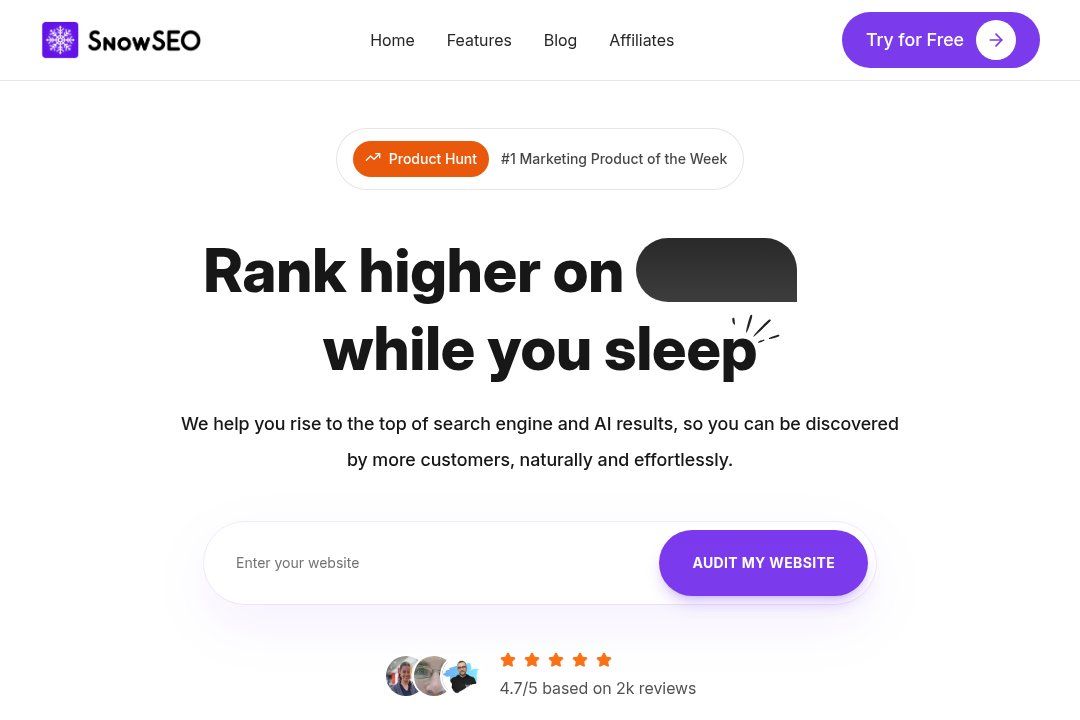
Ready to ditch the spreadsheet chaos and see automated SEO in action? Put today’s insights to work with SnowSEO, the all-in-one platform built to streamline every step we covered. Instead of juggling Ahrefs for keywords, Google Sheets for briefs, and late-night Slack messages for progress checks, simply plug your site into SnowSEO and let its AI orchestrate the entire workflow.
Here’s what happens next:
- The keyword engine uncovers profitable gaps in seconds.
- Content drafts land in your CMS automatically, already optimized for both Google and leading AI assistants.
- Real-time dashboards flag wins and drop alerts before traffic dips.
- Weekly GEO reports translate data into plain-English action items your team can ship immediately.
Marketers like Company Y used this exact flow to double organic traffic in six months, and you can too. Try out the recommended automation tools to see significant improvements in your SEO strategy-starting with an absolutely free 14-day SnowSEO trial today – no credit card required for your entire team.
Frequently Asked Questions
Q1: How much time can an automated SEO workflow realistically save each week?
Most teams reclaim 6-10 hours every week. Routine tasks like rank tracking, broken-link checks, and on-page audits run overnight, so strategists start the day with fresh data instead of manual pulls. That reclaimed time is usually reinvested in content ideation, competitive analysis, and stakeholder reporting, pushing high-impact projects forward without hiring additional staff.
Q2: Do I need enterprise-level tools to get started?
Not at all. Ahrefs, SEMrush, and Moz Pro all offer entry-tier plans with robust APIs and Zapier connectors. Pair one of those with Google Sheets and a project manager like Asana, and you can build a solid automation stack for under $200 a month while keeping the option to scale later.
Q3: How do I measure whether the automation is actually working?
Create a before-and-after dashboard tracking three metrics: hours spent per task, backlog velocity, and organic traffic growth. In our case study, backlog velocity doubled and organic sessions rose 28% in the first quarter, validating both efficiency and performance gains.
Q4: Will automation make my SEO reports less insightful?
When set up correctly, it does the opposite. Automated data pulls ensure every report is populated with the newest crawl data, keyword shifts, and link metrics. Analysts can then focus on narrative and recommendations rather than gathering numbers, resulting in richer, more persuasive insights your stakeholders can act on immediately.
Conclusion
Automation has moved from experimental novelty to everyday necessity in advanced SEO programs. By handing repetitive audits, rank checks, and link monitoring to purpose-built scripts and platforms, teams reclaim the one asset algorithms can’t mimic: strategic creativity.
Key takeaways
- Automation streamlines SEO tasks efficiently – routine checks run 24/7, flagging anomalies before traffic dips appear.
- Selecting the right tools is crucial – integrations with Ahrefs, SEMrush, or Moz Pro determine whether data flows seamlessly or stalls in silos.
- Monitoring impact enhances decision making – dashboards that surface wins and losses in real time turn raw metrics into actionable insights.
Even the most sophisticated bot can only amplify a well-thought-out process. Document your workflow first, then automate the bottlenecks.
Call to action
Try out the recommended automation tools to see significant improvements in your SEO strategy.
Next steps
- Map current tasks by frequency and effort.
- Score each task on risk versus reward to pinpoint automation candidates.
- Pilot one workflow for 30 days, measure time saved, and iterate.
With deliberate planning, automation stops being a buzzword and starts delivering compounding gains.